Full Record, No Shuffle: How Offline Music Collectors Are Rebuilding the Album
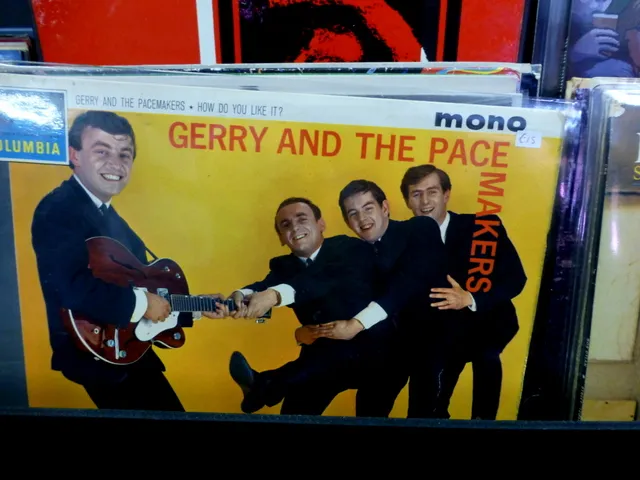
Photo: Kenneth Allen , CC BY-SA 2.0, via Wikimedia Commons
Somewhere along the way, listening to an album became a decision instead of a default. You had to opt in. Pick the record, resist the shuffle button, sit through the weird instrumental track at position seven that you used to skip but now kind of love because it's part of the shape of the thing.
That's the mood behind the offline music revival. Not nostalgia for vinyl exactly — more like a rebellion against the way playlists trained an entire decade of listeners to treat songs as interchangeable units.
Playlists taught us to skip
Nothing against a good playlist. But algorithmic listening has a way of sanding off the edges. The slow opener gets cut. The two-minute interlude never survives. The closing track that only works after forty minutes of buildup is dead on arrival.
Albums were never just containers for singles. They were sequenced. Artists argued about track order for weeks. The pause between side one and side two existed for a reason. Once you own the files, that sequencing comes back — not as a rule you have to follow, but as an option that's actually available.
Why a record hits differently as a file
There's a specific satisfaction to a downloaded album that a stream can't replicate: nothing is buffering, nothing is disappearing next quarter, and nothing is going to be swapped for a remaster you didn't ask for. Your copy of the record is the record.
Add decent headphones or a real pair of speakers and the difference gets obvious fast. Hi-res FLAC and ALAC files carry the full mix, and there's no adaptive bitrate quietly downgrading the chorus because your Wi-Fi got shaky. For anyone who's ever noticed a stream sounding thin in the car, that's the fix.
The workflow, start to finish
You don't need a server rack. You need a routine.
- Get full albums, not singles. Download complete records including the tracks you'd normally skip. That's the whole point.
- Grab it in a lossless format when it's available. FLAC for the archive, ALAC if you live inside Apple's ecosystem. Transcode to MP3 or AAC later for the phone or the car — never the other direction.
- Tag before you file it. Artist, album artist, album, year, track number, disc number, genre. Do it once, properly, and the library stays searchable for a decade.
- Fetch the artwork. High-resolution front cover at minimum. Back cover and booklet scans if you can find them.
- Verify the folder. Track count, durations, and total runtime should match the release listing. Skip that step and you'll find the missing track six months later.
- Back it up somewhere that isn't the same drive. An external drive and one offsite copy is the baseline.
Metadata is the whole game
Here's where most personal music libraries fall apart. A folder of beautifully ripped files with tags that say 'Unknown Artist' is functionally a shoebox.
Use a real tagger — MusicBrainz Picard, Mp3tag, or whatever your player recommends — and standardize your artist names. Is it 'The Band' or 'Band, The'? Doesn't matter, as long as it's the same everywhere. Handle featured artists in the track title rather than the artist field, or your library will sprout three hundred phantom artists named after whoever guested on a remix.
Set the album artist field for compilations and collaborations. It's the single field that saves a library from chaos, and almost everyone ignores it until things get ugly.
Gapless playback and the art of the segue
Some records are meant to run continuously. Live albums, DJ mixes, concept records, anything with a crossfade baked into the master. Rip or download those as individual tracks and play them in a player that supports gapless playback — foobar2000, Plexamp, and most modern mobile players handle it. Add a gap and a live record sounds like a compilation.
If a record was mastered as one continuous piece, keep a single-file version alongside the splits. It's a two-minute insurance policy.
Artwork and liner notes: the part everyone skips
Album art isn't decoration. It's the visual identity of the record, and having it embedded in the file means the cover shows up in the car, on the TV, and on the phone lock screen without anyone fetching anything from the cloud.
Liner notes are trickier but worth the effort. PDF booklets, lyric sheets, credits, thank-you lists — they're the closest thing to the gatefold experience you can keep in a folder. Collectors who bother with this end up with something closer to a private archive than a music library.
Keeping it sane over the long haul
Pick one folder structure and never improvise. Artist / Year - Album / Track - Title works for almost everyone. Keep a 'to-sort' folder for incoming downloads and empty it weekly, because an unsorted pile grows faster than anyone believes.
And every so often, run a consistency check: duplicate albums, missing tracks, broken art links. Ten minutes twice a year keeps the whole thing feeling like a collection instead of an accumulation.
The album never went anywhere. It just got buried under autoplay. Downloading a full record and listening to it front to back is a small, deliberate act — and honestly, it's the best way to hear most of them.