Slow Internet, Serious Collection: What Your Download Speed Actually Means for Building a Media Library

There's a persistent myth floating around tech forums and comment sections that goes something like this: if you don't have gigabit fiber, you might as well not bother downloading anything. It's the kind of thing that gets repeated until it feels like gospel. But spend a little time actually crunching the numbers, and you'll realize the whole premise is kind of backwards.
Building a solid media library isn't a speed sport. It's a patience game. And once you internalize that difference, the whole conversation shifts.
The Numbers People Throw Around vs. What They Actually Mean
Let's start with some real math, because most speed comparisons skip the part that actually matters to collectors.
A standard 1080p movie file — the kind that looks genuinely great on most living room TVs — typically runs between 6GB and 15GB depending on encoding. A 4K HDR version of the same film can push 50GB or more if you're grabbing a full Blu-ray remux. Those numbers sound intimidating until you run them against actual download times.
On a 25 Mbps connection — which is roughly what a lot of rural and suburban households in the US are working with — a 10GB 1080p file takes about 53 minutes to download. On a 100 Mbps connection, that same file drops to around 13 minutes. On a 1 Gbps fiber line? About 80 seconds.
Here's the thing nobody says out loud: you're probably not sitting there watching the progress bar. You queue something up, go make dinner, watch something you already have, go to sleep — and in the morning your library has grown. The 53-minute download and the 80-second download both end with the same file sitting on your drive.
When Speed Actually Does Matter
There are real scenarios where connection speed becomes a genuine constraint, and it's worth being honest about them.
If you're trying to build a large library fast — say you're setting up a home media server from scratch and want 200+ titles ready before a family road trip — a slow connection is a real bottleneck. Downloading 200 films at 10GB each on a 10 Mbps line would take weeks of continuous downloading. That's a legitimate problem.
Similarly, if you're chasing ultra-high-bitrate 4K remuxes — the 60–80GB files that audiophile-level home theater folks love — a slow connection makes those files practically inaccessible. At 10 Mbps, an 80GB file takes roughly 18 hours. That's not impossible, but it does require some planning.
And latency matters more than people realize for certain download protocols. Some tools and platforms behave noticeably worse on high-latency satellite connections even when raw speeds look fine on paper.
The Rural Reality Check
A significant chunk of the US is still working with connections that would make city-dwellers wince. According to FCC data, millions of Americans — particularly in rural Midwest, Appalachian, and Mountain West regions — are on fixed wireless, DSL, or older cable infrastructure that tops out well below 100 Mbps.
If that's your situation, here's the honest take: you can absolutely build a great library, you just have to build it differently.
The key shift is moving from reactive downloading (grabbing something right when you want to watch it) to scheduled, background collection-building. Queue up downloads overnight. Prioritize compressed-but-quality formats like H.265/HEVC encodes, which can deliver excellent 1080p quality at 4–6GB instead of 10–15GB. That alone effectively doubles your usable bandwidth.
Some collectors on slower connections also get strategic about format tiers — grabbing 1080p versions of everything first to fill out the library, then selectively upgrading specific favorites to 4K when bandwidth allows. It's a perfectly rational approach, and honestly one that even fast-connection users could learn from in terms of storage efficiency.
The Gigabit Overestimation Problem
On the flip side, people with fast connections often assume their speeds eliminate all friction — and then get surprised when things don't work that way.
Gigabit fiber to your house doesn't mean every server you're pulling from can push files at gigabit speeds. Most download sources are throttled, load-balanced, or simply hosted on infrastructure that caps out at a fraction of what your line can theoretically handle. Real-world download speeds from most sources land somewhere between 10–50 MB/s regardless of whether you have 200 Mbps or 1 Gbps.
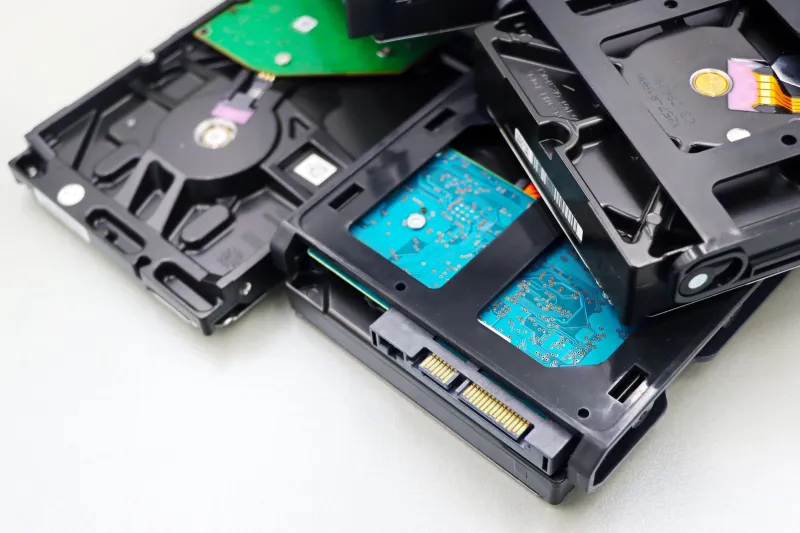
There's also the storage write speed bottleneck. If you're downloading to a mechanical hard drive — which most media collectors are, because they're cheap and high-capacity — your drive can only write so fast. Sustained writes on a typical 7200 RPM HDD max out around 100–150 MB/s. Your gigabit connection can theoretically deliver 125 MB/s, meaning your fancy fiber line is already bumping up against your drive's ceiling before you factor in anything else.
Unconventional Fixes for the Speed-Constrained Collector
If you're stuck with a slower connection and want to make the most of it, a few approaches actually move the needle:
Compression-first file selection. Modern H.265 and AV1 encodes offer genuinely impressive quality at smaller file sizes. A well-encoded H.265 1080p file at 5GB is often indistinguishable from a 15GB H.264 version on a standard 4K TV. Prioritizing these formats effectively multiplies your usable bandwidth.
Overnight queue scheduling. Most download managers support scheduled downloading. Set your queue to run between midnight and 6 AM when your household network isn't competing with streaming, gaming, or video calls. Six hours of uncontested downloading on even a 25 Mbps line can pull 60–70GB of content.
Batch weekends. Some collectors dedicate one Saturday per month to a big download session — queuing up 15–20 titles and letting them run all day while doing other things. It's a surprisingly effective way to grow a library without the frustration of watching slow progress bars mid-week.
Prioritize by rewatch value. Slow-connection collectors who are ruthless about what they download end up with better libraries than fast-connection collectors who grab everything indiscriminately. If you only have bandwidth for one film tonight, you'll think harder about whether it's actually worth keeping forever.
The Real Metric That Matters
Here's the reframe that ties all of this together: the quality of your media library isn't measured in megabits per second. It's measured in how good the files are, how well-organized your collection is, and whether the stuff you've saved is actually stuff you want to watch.
Someone on a 25 Mbps rural connection who downloads thoughtfully, organizes consistently, and prioritizes quality encodes will build a better library than someone on gigabit fiber who downloads impulsively, never cleans up duplicates, and fills drives with files they'll never touch.
Speed is a tool. It's not the point. The collection is the point — and DownloadMing has always been about giving people the tools to build something worth keeping, regardless of what's running to their router.