Digital Declutter: The No-Drama Playbook for Taming Your Out-of-Control Media Library
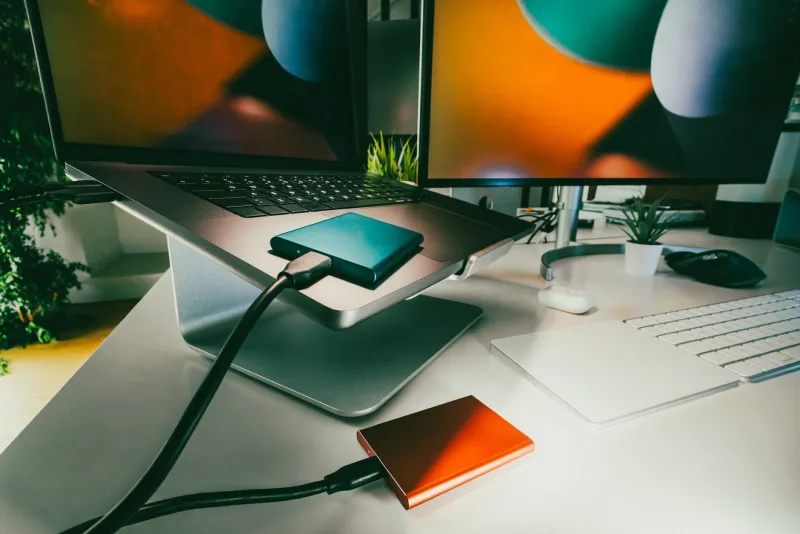
Somewhere between your third hard drive and your fourteenth streaming service cancellation, things got out of hand. You've got folders inside folders, duplicate copies of films you don't even like, and a nagging sense that your media library is running you instead of the other way around. Sound familiar?
Good news: you don't have to burn it all down and start over. With a little structure and some honest decision-making, you can turn that digital landfill into a collection you're actually proud of. Here's how to get it done without losing your mind — or your weekend.
Step One: Stop Adding Before You Start Subtracting
This is the rule nobody wants to hear, but it's the most important one. Before you touch a single file, pause all new downloads. Seriously. Trying to organize a library that keeps growing is like mopping a floor while the faucet's still running.
Give yourself a defined window — say, two weeks — where you focus exclusively on what you already have. New content will still be there when you're done. The goal right now is to understand the full scope of what you're dealing with.
Open up your storage drives, map out your folder structure (or lack thereof), and take stock. How many gigabytes are we talking? How many duplicates do you spot right away? Getting that bird's-eye view is step one toward actually fixing things.
Build a Folder Structure That Makes Sense to Your Brain
There's no single "correct" way to organize a media library, but the best systems share one trait: they're consistent. Pick a structure and stick to it everywhere.
A popular approach that works well for most collectors:
- Top-level folders by type: Movies, TV Shows, Music, Documentaries, Stand-Up
- Movies: Organized alphabetically, or by genre if your collection skews heavily in one direction
- TV Shows: One folder per series, with subfolders for each season
- Music: Artist → Album → Tracks
The key is that every file should have exactly one logical home. If you're ever debating where something goes, your structure probably needs a tweak.
For folks with massive collections, tools like Kodi, Plex, or Jellyfin can automate a lot of this once your folder naming follows standard conventions. These platforms pull in metadata — cover art, descriptions, ratings, cast info — and suddenly your chaotic folder tree starts looking like a proper media center.
Metadata: The Invisible Architecture of a Great Library
Here's something a lot of casual collectors overlook: the files themselves aren't really the library. The metadata is. Proper titles, year tags, genre labels, and thumbnail art are what transform a pile of .mkv files into something you can actually browse and enjoy.
If you're on Windows, MP3Tag is a longtime favorite for music files. For video, tinyMediaManager is free, surprisingly powerful, and does a solid job of scraping info from databases like TMDb and TheTVDB. Mac users often gravitate toward Subler for tagging video files.
Spend a Saturday afternoon running your library through one of these tools and you'll be shocked how much more navigable everything becomes. Proper metadata also makes it way easier to spot duplicates and orphaned files — stuff that got downloaded but never properly filed.
The Purge Framework: What Actually Stays
Okay, here's where it gets a little personal. Deciding what to delete is genuinely hard for a lot of collectors, and that's not irrational — your library represents time, taste, and effort. But keeping everything isn't a collection strategy, it's just hoarding.
Try applying this three-question test to anything you're on the fence about:
- Have I watched it in the last two years? If the answer is no and you can't name a specific reason you'd watch it soon, that's a signal.
- Is it available somewhere I already have access to? If it's on a service you subscribe to or can easily find again, it doesn't need to live on your hard drive permanently.
- Is this the best version I'm going to get? Low-res rips, files with audio sync issues, or anything under 720p in 2024 probably deserve an upgrade or a deletion, not a permanent home.
Anything that fails two out of three questions goes in a "staging" folder. Don't delete immediately — let it sit for 30 days. If you never once opened that folder looking for something, you have your answer.
Handling the Emotional Stuff
Let's be real for a second. Some of this isn't about hard drive space — it's about identity. Your collection says something about who you are and what you care about. Deleting a film can feel weirdly personal, especially if it connects to a specific time in your life.
That's completely normal. But here's a reframe that might help: a curated library is more meaningful than a maxed-out one. When someone sees your collection and it's 400 films you genuinely love and would recommend, that says a lot more than 4,000 files you've never touched.
Keep the stuff that matters. Let go of the stuff that just accumulated.
Duplicate Hunting: The Quickest Wins
If you want a fast, satisfying win early in the process, start with duplicate files. Most collectors have more than they realize — same movie downloaded twice in different resolutions, music albums that got imported multiple times, episodes that ended up in two different folders.
dupeGuru is a free cross-platform tool that's excellent for this. It'll surface near-duplicates as well as exact matches, which is handy when you've got both a 720p and a 1080p version of the same film. Keep the better one, lose the other. Simple.
On average, collectors who run a proper duplicate audit recover 10–20% of their total storage space. That's a meaningful chunk you can immediately put toward better-quality files.
Maintenance Mode: Keeping It Clean Going Forward
Once you've done the hard work of the initial purge, the goal is to never have to do it this intensively again. A few habits that keep libraries clean over time:
- File as you download. Don't dump everything into one folder to sort later. It never happens.
- Do a quarterly review. Set a calendar reminder every three months to spend an hour checking for new duplicates, untagged files, or content that's crept in without a proper home.
- Upgrade intentionally. When you grab a better version of something, delete the old one the same day. Don't let both versions just coexist indefinitely.
- Set a storage ceiling. Decide how much space your library is allowed to occupy. When you hit the limit, something has to go before something new comes in. Constraints are weirdly useful for keeping collections focused.
The Payoff Is Real
A well-organized media library isn't just aesthetically satisfying — it actually changes how you interact with your collection. When you can find what you want in seconds, when your metadata is clean and your cover art is consistent, you end up watching and listening to your stuff more. The friction disappears.
That's the whole point of building a personal library in the first place: having the entertainment you love, exactly when you want it, without the chaos. Put in the work now, and every future download you add will have a proper home waiting for it.