Home Media Servers: The Ultimate Power Move for People Done Playing by Everyone Else's Rules
There's a certain kind of person who, after canceling their fourth streaming subscription in two years, doesn't go looking for a fifth one. Instead, they go to Newegg.
They buy a used server chassis. They load up some open-source software. They spend a weekend wiring things together, and by Monday morning, they've got a personal media library that streams to every screen in the house — no buffering wheels, no content licensing blackouts, no "this title is unavailable in your region." Just their stuff, on demand, forever.
This is the home media server movement, and it's quietly picking up serious steam among power users who've decided that downloading is only the first step. The real endgame? Owning your own infrastructure.
So What Exactly Is a Home Media Server?
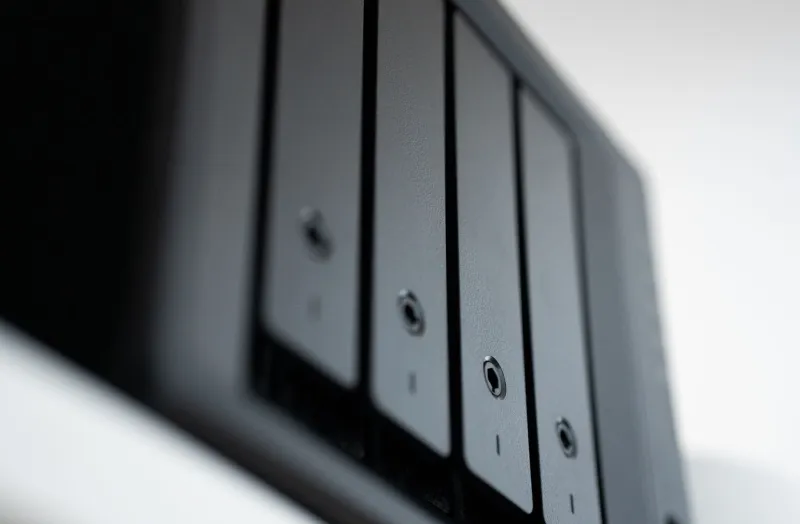
At its core, a home media server is just a computer — sometimes a repurposed desktop, sometimes a purpose-built NAS (Network Attached Storage) device — that stores your media files and serves them up to other devices on your network. Think of it like building your own private Netflix, except the only content on it is stuff you actually want to watch.
Software like Plex, Jellyfin, and Emby have turned this from a nerd-only endeavor into something approaching mainstream accessibility. These platforms organize your movies, TV shows, and music with polished interfaces that honestly rival what the big streamers put out. Plex even lets you access your library remotely, which means your collection travels with you.
The downloads don't disappear — they just get a permanent, organized home instead of sitting in a chaotic folder structure on your laptop.
The Hardware Reality Check
Let's talk money, because that's usually the first question. Building a home media server isn't free, and it's worth being straight about the costs before you go down this road.
On the low end, you can repurpose an old desktop PC you've got gathering dust. Slap a couple of large hard drives in it, install Jellyfin (which is completely free and open-source), and you're operational for maybe $100-$200 in storage costs. That's genuinely accessible.
Mid-range setups — the kind that handle 4K transcoding smoothly and run 24/7 without sounding like a jet engine — typically involve dedicated NAS devices from brands like Synology or QNAP. A solid two-bay Synology with a couple of 8TB drives runs you somewhere in the $500-$800 range upfront. Add a capable processor if you're planning on heavy transcoding, and you might push closer to $1,000.
High-end builds? Those can get into the thousands. But they're also serving dozens of simultaneous streams, running home automation, and doing things that most households will never need.
The math that makes people stick with it: after the initial investment, your monthly cost is essentially zero. No subscription fees. No price hikes. No "we're restructuring our plans" emails.
The Setup Curve Is Real — But It's Getting Better
Here's the honest part that enthusiast forums sometimes gloss over: setting up a home media server takes time and patience. It's not plug-and-play in the way that signing up for a streaming service is.
You'll need to learn some basics — how to configure network shares, how to set up port forwarding if you want remote access, how to organize your file naming so the software can scrape metadata correctly. There's a learning curve, and the first weekend can feel like drinking from a fire hose.
But the community around these tools is genuinely excellent. Reddit's r/PleX and r/selfhosted communities are packed with people who love answering setup questions. Jellyfin's documentation has gotten dramatically better over the past two years. And once everything clicks into place, the maintenance is surprisingly light — most setups run for months without needing any attention.
For people who are already comfortable managing their downloaded media collections, the jump to a home server is less dramatic than it sounds. You're essentially just adding organization and a serving layer on top of what you're already doing.
Why This Feels Like the Natural Next Step After Downloading
Downloading media gave people back control over what they watch and when they watch it. A home server takes that logic one step further — it solves the access and organization problems that come with building a serious collection.
Once your library hits a few hundred titles, managing files manually becomes genuinely annoying. A media server turns that chaos into a searchable, beautifully organized catalog with artwork, ratings, cast information, and automatic subtitle matching. It's the difference between a pile of DVDs in a cardboard box and an actual collection displayed on a shelf.
There's also the multi-room angle. A downloaded file lives on one device. A media server streams to your TV, your laptop, your tablet, your phone — all at the same time if you want. Your kids can watch something in their room while you're watching something completely different in the living room, all pulling from the same library.
The People Making This Switch
The home server crowd isn't monolithic. Some are pure tech enthusiasts who'd be doing this regardless — it's a hobby as much as a utility. But increasingly, the motivation is practical frustration.
Cord-cutters who've watched their streaming bills creep back toward cable-era prices. Parents who want a curated, safe library without algorithm rabbit holes. Remote workers who need reliable offline access during travel. Film collectors who take catalog completeness seriously and can't trust any platform to keep their favorites available.
What they share is a preference for permanence. In a media landscape where titles disappear without warning and service terms change constantly, owning your own infrastructure feels less like overkill and more like basic self-preservation.
Is This for Everyone?
Honestly? No. And that's fine.
If your media consumption is casual — a few shows here and there, nothing you feel strongly about owning — a home server is probably more complexity than the payoff justifies. Downloading what you want when you want it is still a perfectly solid approach, and there's no shame in keeping things simple.
But if you've already got a growing downloaded collection, if you've felt the sting of a platform pulling content you loved, or if the idea of a self-contained entertainment ecosystem genuinely excites you — this rabbit hole has a very satisfying bottom.
The bandwidth rebellion isn't about rejecting convenience. It's about redefining it on your own terms. And for a certain kind of person, there's nothing more convenient than a library you built yourself, running on hardware you own, answering to nobody but you.